02. Login and Redeem Credits
Redeeming Credits
- Create a Gmail account, if you don't already have one. https://accounts.google.com/signup . Skip this step if you already have an account.
It must be an
[at] gmail.comaccount not a G Suite or other platform account.
It's okay if this is different than your Udacity student email, just make sure you use your gmail account when using any of these cloud services.
- Browse to https://console.cloud.google.com/edu . Ensure that you are logged in with the correct account by clicking the profile image in the top-right corner of the page.
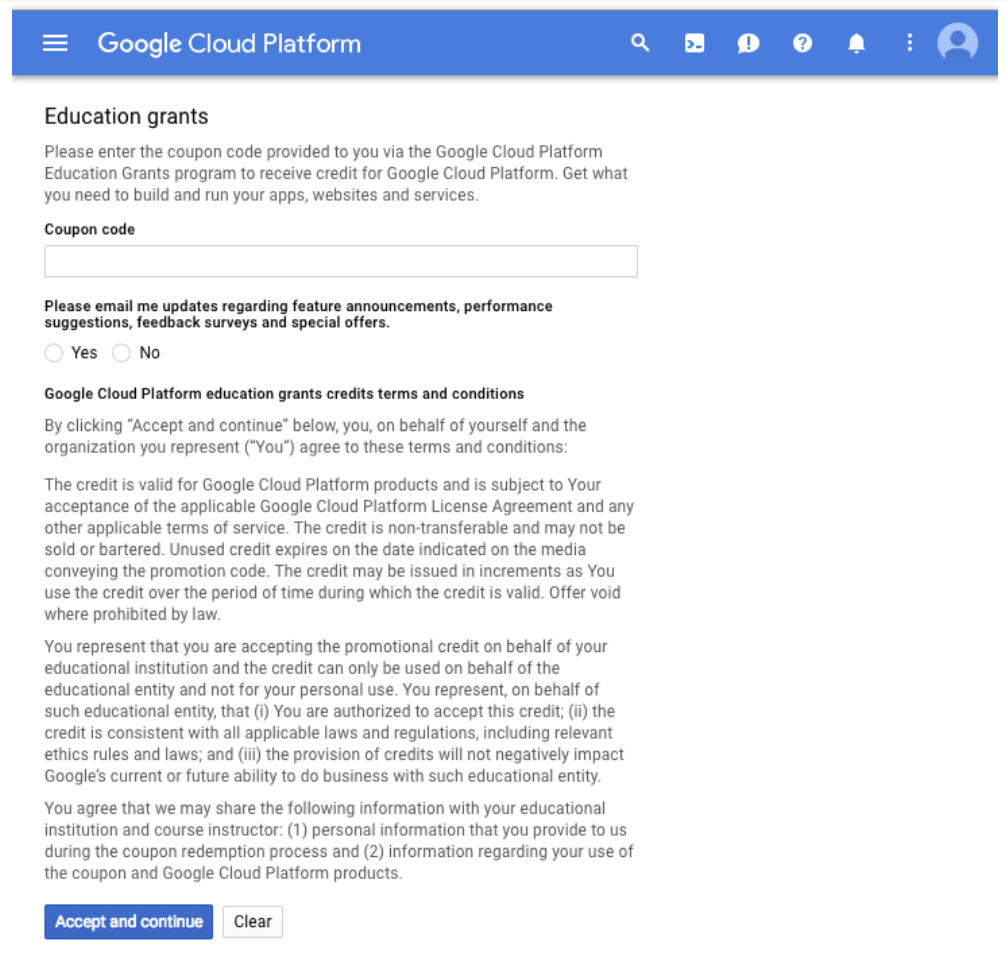
The redeem page.
Coupon Code
Within the first two weeks of enrolling in this Nanodegree program , you should have received a coupon code from Udacity. It may take up to two weeks to process your enrollment and send a coupon code.
Once you receive a code, paste that into the text box and click
Accept and continue
.
Notes on Using a Gmail Account
-
You'll receive a coupon code within the first two weeks of enrolling at your Udacity student email address.
-
To use the Google Cloud Platform, you must use a
@gmail.comaddress, not a G Suite account that may be associated with your business or educational institution or another account, even if it's your Udacity student email. -
If you already have a gmail account that you use with Google Cloud Platform, you may use it! Clicking
Accept and continuewill create a new Billing Account with credits and access to GPUs.